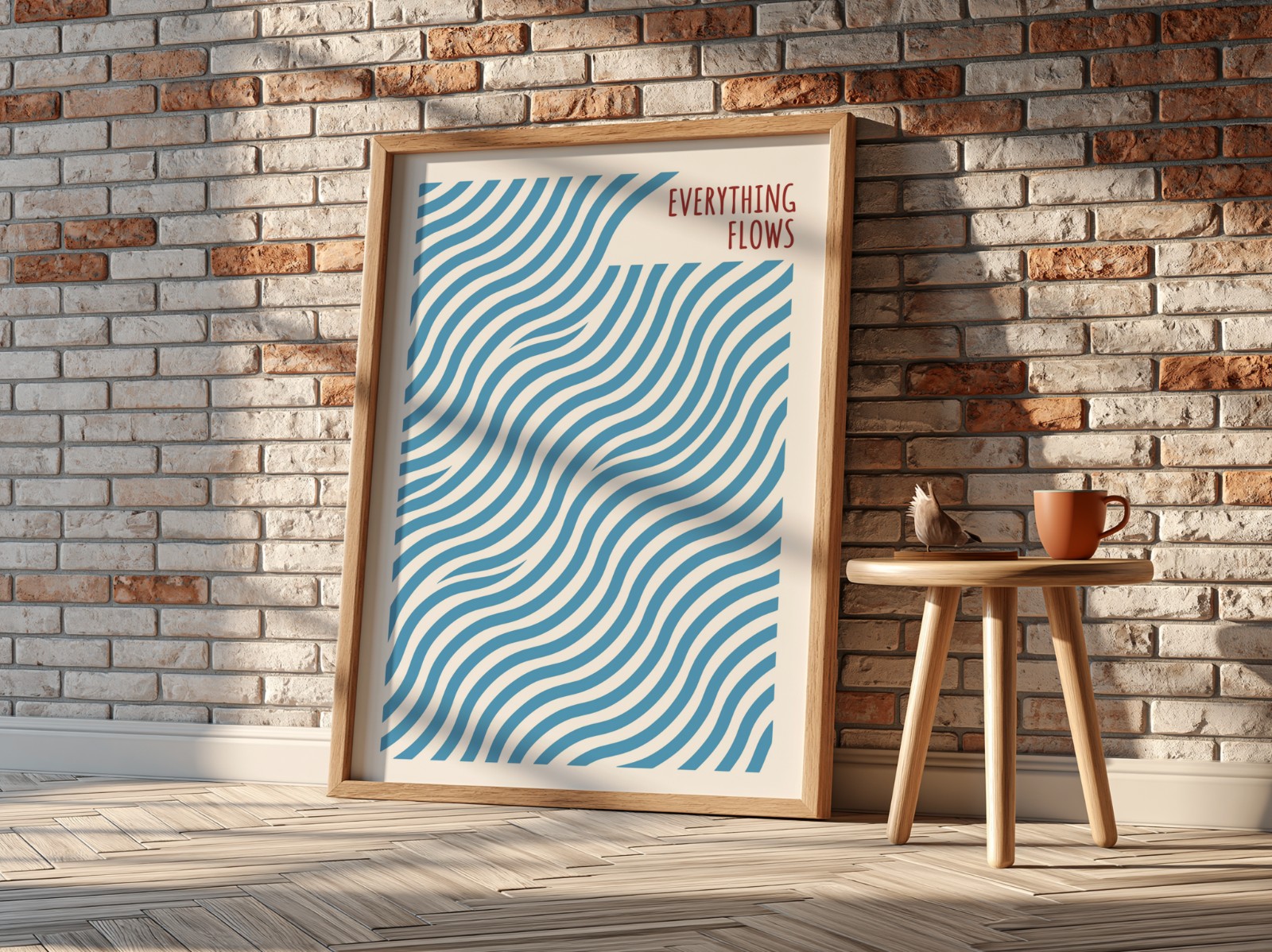
Updated 23 October 2026. Re-checked against Etsy's Help Center and Etsy's Listing Image Requirements (last updated by Etsy on 22 October 2026); sources at the end.
A mockup on Etsy is a listing photo made digitally: your design is placed into a product template, such as a framed print on a wall or a mug on a table, so buyers can see the finished item without you photographing it. Mockups are standard for print-on-demand and digital downloads, but Etsy's rules now say exactly when you can rely on them. This guide explains what an Etsy mockup is, what Etsy allows, and how to make a full set of listing mockups for many designs at once, free and without Photoshop.
What is a mockup on Etsy? A realistic product photo created by placing your artwork into a template, usually a PSD file with a smart object. Etsy requires every listing image to accurately show what the buyer receives. For print-on-demand items, Etsy allows stock photo mockups if the mockup's owner has authorised their use; for most other physical items you must also include at least one unedited photo of the real item. To make mockups free: pick templates, add your designs, generate in one batch, then upload up to 20 photos per listing, at least 2000 px wide and tall.
Etsy mockups: key facts at a glance
| Question | Answer | Source |
|---|---|---|
| Photos per listing | Up to 20 photos | Etsy Help: How to create a listing |
| Videos per listing | Up to 2 videos, 3–15 seconds, no sound, max 100 MB | Etsy Help: How to add listing videos |
| Recommended photo size | At least 2000 px wide and tall; first photo at least 635 px | Etsy Help: Images requirements |
| First photo shape | Landscape or square (it sets the thumbnail) | Etsy Help: Images requirements |
| File types | JPG, GIF, PNG, SVG or HEIC; transparent parts of a PNG show as black | Etsy Help: Images requirements |
| Are mockups allowed? | Yes for print-on-demand (authorised stock mockups) and as previews for digital downloads; images must always be accurate | Etsy: Listing Image Requirements |
| Unedited photo rule | Most products need at least one unedited photo of the actual item; POD and digital items have exceptions | Etsy: Listing Image Requirements |
What is a mockup on Etsy?
A mockup is a product photo created digitally: your artwork is placed onto a picture of the product (a frame on a wall, a mug in someone's hands, a T-shirt on a model) with the right perspective, lighting and texture, so it looks like a real photo. Etsy sellers use mockups because they:
- Replace photoshoots. No need to print, frame and photograph every design.
- Work before the product exists. Essential for print on demand, where the item is only made after it's ordered.
- Keep your shop consistent. The same scenes across all listings make your shop look like a brand.
Most mockups start as a PSD template: a Photoshop file with a "smart object" layer where your design goes. If you're new to them, our guide to smart objects in PSD mockups explains how they work and how to fix designs that look cropped or blurry.
What are mockups on Etsy allowed to show?
Etsy's Listing Image Requirements (updated 22 October 2026) say every listing image must accurately reflect the item's true appearance, including colour, condition, scale and materials. Etsy then sets rules by product type:
- Print-on-demand items. If a production partner prints your original design on a standard base product (like a T-shirt or mug), Etsy says you may use a stock photo mockup, as long as the stock photo's owner has authorised its use. Use templates whose licence allows commercial use.
- Digital downloads. Etsy says digital downloads should include a visual preview of the content buyers will receive, so mockups of your printable in a frame work well alongside a clear preview of the file itself.
- Most other physical products. Etsy requires at least one unedited photo of the actual item against a real background. You can use mockups and edited images for your other photos, as long as they stay accurate.
Whatever you sell, don't let a mockup suggest something the buyer won't get. If the frame isn't included, say so in the title, description and one photo.
What do you need to make Etsy mockups?
| You need | Details |
|---|---|
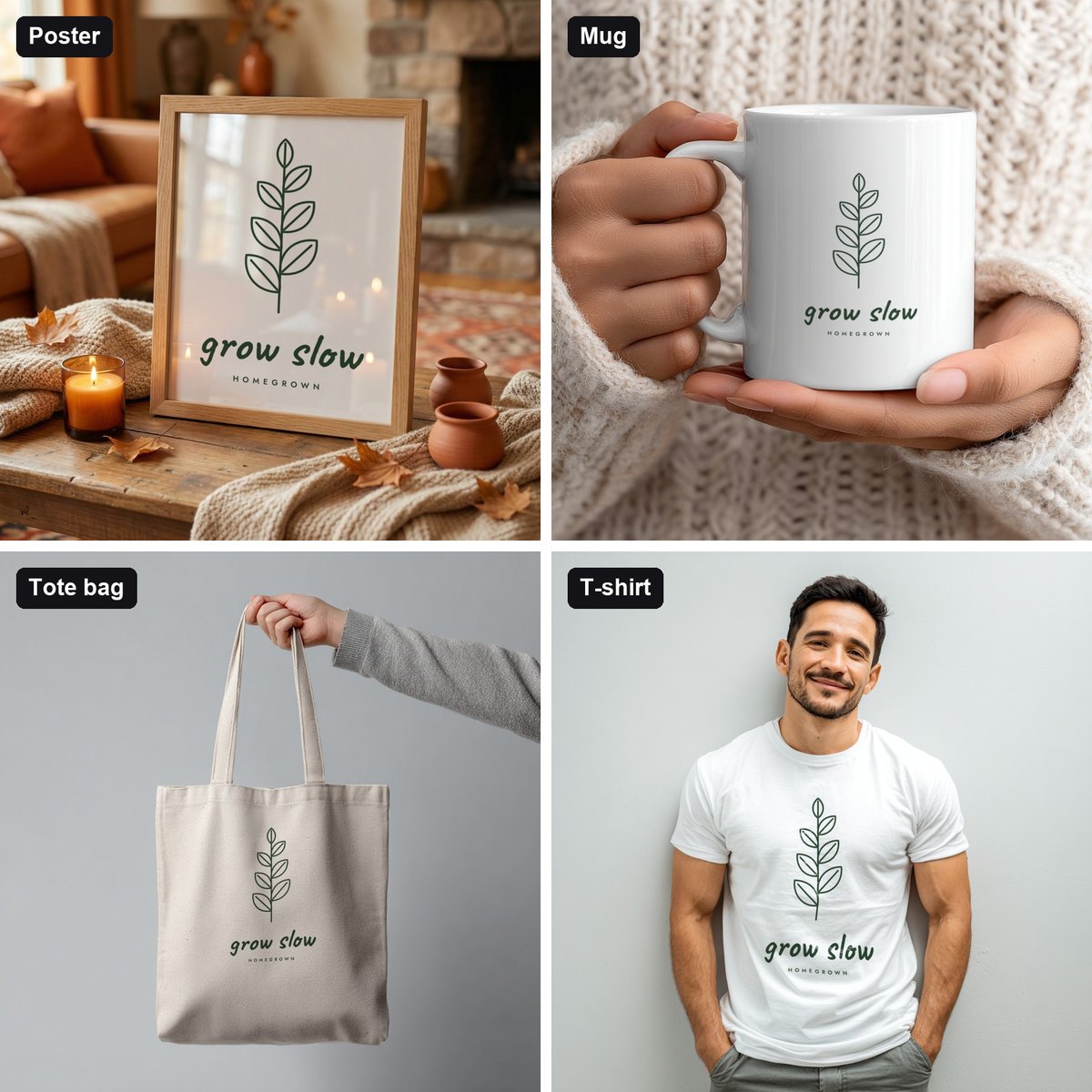
| Your design | A high-resolution PNG or JPG, ideally 3000 px or more on the long side. Use PNG with a transparent background for apparel, mugs and totes. |
| Mockup templates | PSD files with a smart object where the design goes, in the same ratio as your design (for example 3:4 for many poster frames), licensed for commercial use. |
| A tool to fill them | Photoshop, an online mockup editor, or a batch mockup generator. |
What are the three ways to create Etsy mockups?
| Method | Best for | Speed | Cost |
|---|---|---|---|
| Photoshop | Full control over every detail | One mockup at a time | Photoshop subscription + templates |
| Online editors (Placeit, Canva) | A few mockups, no software | Quick per mockup, using their own scenes | Free options; paid plans for the full library |
| Batch mockup generator (Scaylr) | Many designs and many templates | Every design in every template in one run | Free to start; use any PSD with a smart object |
For prices and free plans of the main tools, see our comparison of the best free mockup generators, and for an Etsy-focused ranking, the best mockup generators for Etsy sellers.
How do you make mockups for Etsy step by step (without Photoshop)?
Choose your templates
Open the free template library (385 PSD templates, all free) and pick scenes that fit your products: poster frames in living rooms, bedrooms and kitchens, gallery walls, mugs, T-shirts and tote bags. Or upload your own PSD mockups; any PSD with a smart object works. Choose a mix: a clean hero shot, a room scene, a close-up and a set.
Add your designs
Open the Scaylr studio and drop in all the designs you want to list as PNG, JPG or WEBP. There's no need to do one at a time.
Check the matching
Your designs are matched to the templates automatically; if you change something by hand, Re-match pairs everything up again. Choose Fill to cover the frame, Fit to keep the whole design visible, or Stretch.
Generate
Click Generate. Scaylr places each design into each template with the template's perspective, lighting and texture. Ten designs in eight templates gives you 80 listing photos in one run.
Download and upload to Etsy
Download single mockups as JPG or PNG, or click Download All for one ZIP. Export listing photos as JPG: Etsy shows transparent areas of a PNG as black. Etsy recommends at least 2000 px on both sides; we use 3000 × 2250 px (4:3, landscape) so the first photo crops cleanly into Etsy's thumbnails. Our Etsy image size guide covers every size.
Prefer video? Watch the 6-minute tutorial: batching 100 mockups in one run.
How many mockups should each Etsy listing have?
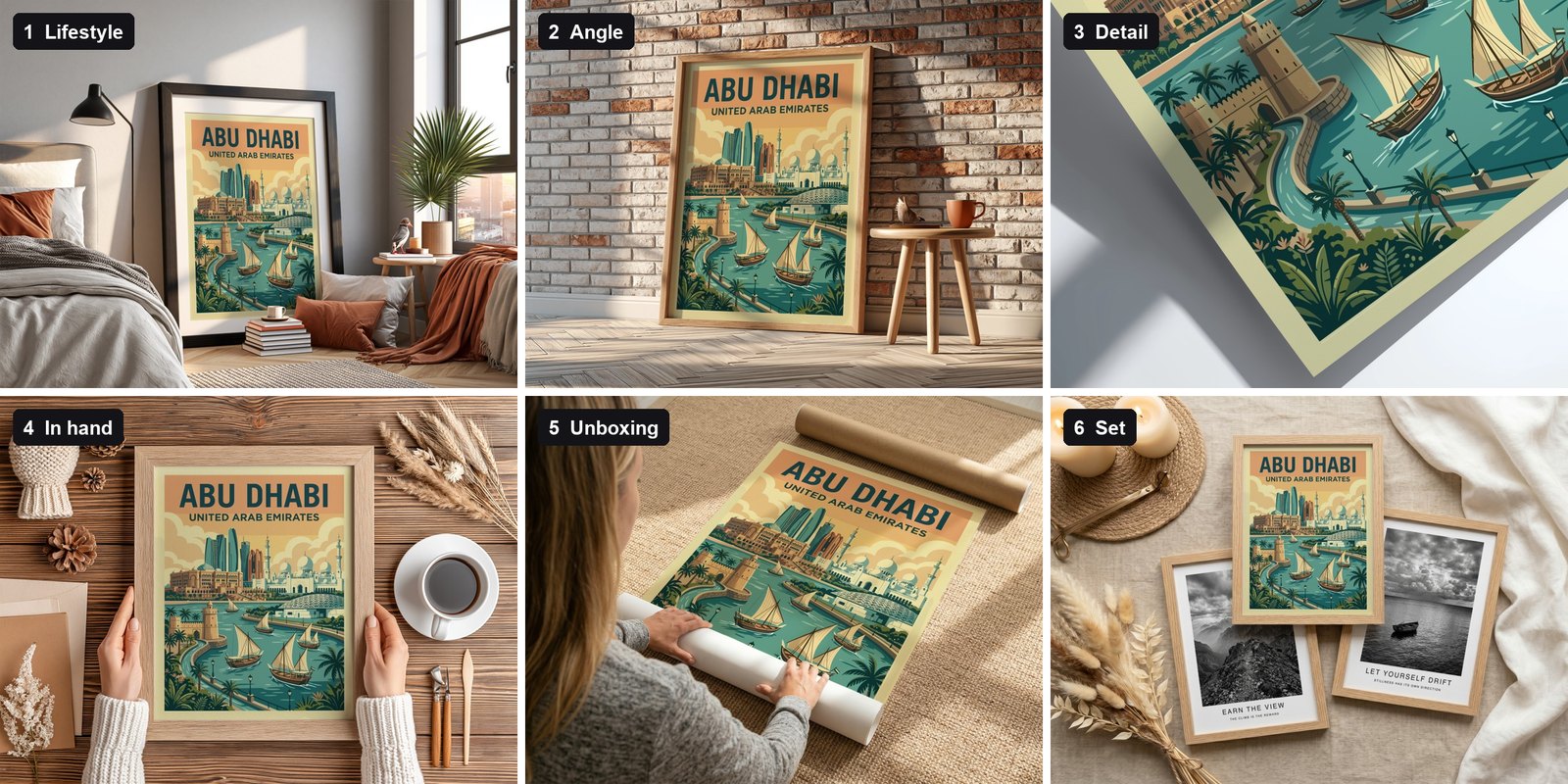
Etsy lets you add up to 20 photos and 2 videos per listing. Our recommendation is 8–12 photos, each with a different job: a clear hero shot first (it becomes your search thumbnail), then room scenes, an angled view, a close-up of the print, a scale shot, a set, and a photo that states what the buyer receives. The same design should appear in every photo; only the scene changes. Our Etsy listing photos checklist lists the shots in order.
Listing videos can be mockups too: Scaylr's video mockup templates add moving light or a pour of coffee to a still design, and the free plan makes up to 20 video mockups a day with a watermark.
What makes an Etsy mockup sell?
- The design is the hero. In your first photo, the artwork should fill most of the frame on a calm background.
- Colours are true. Avoid scenes with heavy colour casts; Etsy requires images to reflect the item's real colour.
- Scale is clear. Include at least one photo that shows how big the product is, next to furniture or in hands.
- The scene fits the buyer. Boho bedrooms for boho prints, kitchens for kitchen art, a clean studio for bold graphics.
- It's honest. If the frame isn't included, say so in the title, description and one photo.
Build one set of 8–10 templates for each product type and reuse it for every design. Every listing gets a complete, consistent photo set, and each new batch takes minutes. Our product guides for posters, T-shirts and mugs suggest which scenes to include.
Can you make Etsy mockups for free?
Yes. Scaylr's free plan makes 30 mockups a day with a small watermark and needs no account. When you verify your email you also get 50 watermark-free mockups to use in your first 7 days. Paid plans remove the watermark: Starter is $9.99 a month for 1,000 mockups, and Pro is $17.99 a month for unlimited mockups; see plans and pricing. For more free templates, see the best free PSD mockup templates.
If you want to skip the manual work, Scaylr is an Etsy mockup generator built for exactly this: batch-create a whole catalogue of listing photos in one pass.
Sources (checked 23 October 2026): Etsy: Listing Image Requirements · Etsy Help: Requirements and best practices for images · Etsy Help: How to create a listing · Etsy Help: How to add listing videos · Scaylr plans.
Create your Etsy mockups in minutes
Pick free templates, drop in your designs and download every listing photo in one batch. No Photoshop needed.
Try Scaylr Free →