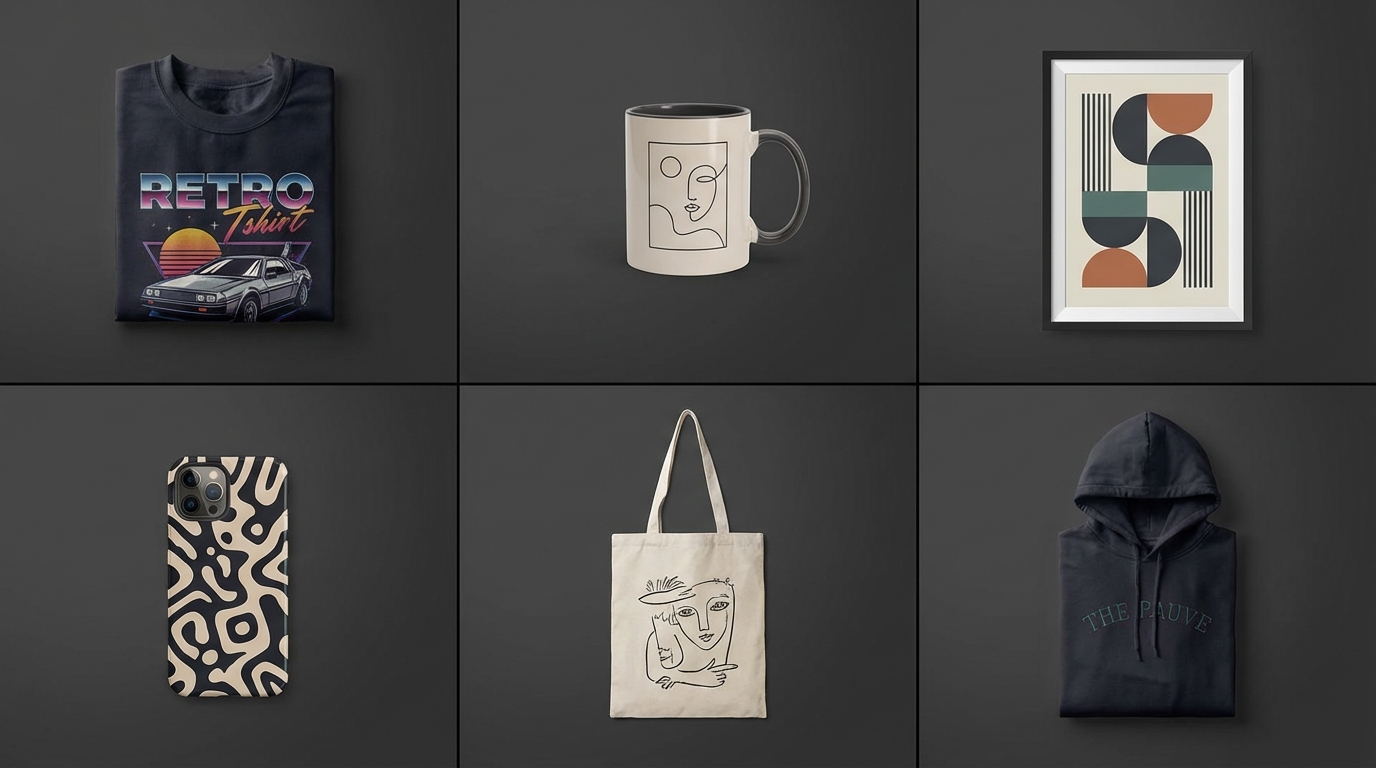
Updated 23 October 2026. Every price below re-checked on the tool's own pricing or product page today; sources at the end. Where a tool doesn't publish a number, we say so instead of guessing.
The best free mockup tools for designers and print-on-demand sellers in 2026 are Scaylr (batch mockups from your own PSD templates), Mockey AI (large template library, watermark-free free plan), Placeit (large paid library), Canva Mockups (inside Canva), Printful's free generator (for Printful products) and Artboard Studio (presentation and animated mockups). All six have a free option; which one is best depends on how many designs you list and whether you use your own templates.
For bulk listing photos from your own PSDs, use Scaylr: free for 30 mockups a day (watermarked), $9.99/month for 1,000. For free, watermark-free mockups from a big template library, try Mockey AI. If you already sell through Printful or Printify, their generators are free for their own products. Placeit is $14.95/month for its full library, and Canva Pro is US$144/year.
How much do popular mockup generator tools cost? (checked October 2026)
| Tool | Free plan | Paid price as published | Best for |
|---|---|---|---|
| Scaylr | 30 mockups/day with watermark; 50 watermark-free in first 7 days after verifying email | Starter $9.99/mo (1,000 mockups); Pro $17.99/mo (unlimited) | Batch mockups from your own PSDs |
| Mockey AI | Yes, downloads with no watermark | Starter $9.9/mo ($5.7/mo yearly); Creator $19/mo; Forever $199 one-time | Free mockups from a 30,000+ template library |
| Placeit | Free templates available | $14.95/mo or $89.69/yr (Unlimited) | Huge library of mockups, logos and video templates |
| Canva Mockups | Free plan available | Canva Pro US$144/yr (US price; varies by country) | Sellers who already design in Canva |
| Printful | Free for Printful products | No charge for mockups | Printful sellers |
| Artboard Studio | Yes, you can start free | Lite $9/mo, Pro $19/mo (billed annually); Lifetime $129 | Presentation and animated mockups |
Prices in USD from each tool's own site on 23 October 2026 (listed under Sources). Taxes may apply, and prices can differ by country.
What should you look for in a free mockup generator?
- Batch processing. Can you make many mockups in one run, or one at a time?
- Your own templates. Can you use PSD mockups you already own, or only the tool's library?
- Watermarks on the free plan. A watermark is fine for testing, not for live listings.
- Output size. Etsy recommends listing photos at least 2000 px wide and tall.
- Cost per mockup at your volume. A flat monthly price only pays off if you use it.
What are the best mockup tools for designers and POD sellers?
1. Scaylr: best for batch mockups from your own PSDs
Best for: Etsy and print-on-demand sellers who need many mockups from PSD templates.
Scaylr is a browser-based batch mockup generator. You add PSD templates with smart objects (your own, or from the free template library of 385 PSDs), drop in your designs, and it makes every design in every template in one run, ready to download as one ZIP. No Photoshop needed. For Etsy sellers with large catalogues, that is the main time-saver: ten designs in eight templates is 80 listing photos from one click.
- Free: 30 mockups a day with a watermark, no account needed; 50 watermark-free mockups in your first 7 days after verifying your email; video mockups 20 a day with a watermark
- Starter: $9.99/month: 1,000 mockups a month, no watermark, 50 video mockups a month
- Pro: $17.99/month: unlimited mockups and video mockups, plus the Shopify Publisher
Keep in mind: free exports carry a watermark, so live listings need the first-week allowance or a paid plan. See plans and pricing.
2. Mockey AI: best free option with no watermark
Best for: Beginners and low-volume sellers who want free mockups from a big library.
Mockey AI says its free plan lets you design, upload and download mockups with no watermark, from a library of 30,000+ templates in 60+ categories. It also offers AI tools such as a background remover and AI photoshoots. Its site lists bulk mockup downloads, and the Starter plan adds multiple design upload, mockup bundles and high-quality downloads.
- Free: yes, downloads with no watermark
- Starter: $9.9/month, or $5.7/month billed yearly
- Creator: $19/month, or $12.4/month billed yearly
- Forever: $199 one-time payment
Keep in mind: you work with Mockey's templates rather than your own PSD files.
3. Placeit: biggest library of ready-made templates
Best for: Sellers who want a very wide choice of ready-made scenes, plus logo and video templates.
Placeit calls itself the world's largest mockup library. One subscription covers its mockups, design templates, videos and logos, with a commercial licence. Free templates are also available.
- Unlimited: $14.95/month, or $89.69/year
- Placeit notes a one-month minimum commitment if you've downloaded any template
Keep in mind: it's an online editor built around its own templates, so you make mockups one scene at a time.
4. Canva Mockups: best if you already design in Canva
Best for: Sellers already using Canva for listing images, social posts and branding.
Canva Mockups (formerly Smartmockups) is part of Canva, with mockups for devices, print, apparel and more inside the normal Canva editor. Canva's free plan is available, and Canva Pro adds premium templates, more AI tools and a "Design in bulk" feature.
- Free: Canva Free plan
- Canva Pro: US$144/year for one person on Canva's US pricing page (prices vary by country)
Keep in mind: mockups are one feature of a general design tool, so it's best value if you use Canva for other work too.
5. Printful mockup generator: best for Printful sellers
Best for: Sellers who already use Printful for fulfilment.
Printful says all mockups for Printful products are totally free, with templates for every item in its catalogue, from lifestyle shots to studio backgrounds. You can download the mockups and use them on any e-commerce platform.
- Free: yes, for Printful products
Keep in mind: it makes mockups of Printful's own products only. Printify has a similar free generator for its catalogue (see below).
6. Artboard Studio: best for presentation and animated mockups
Best for: Designers making portfolio, client and social media visuals.
Artboard Studio offers thousands of mockups for devices, apparel, packaging, print and branding, lets you place images or videos on mockups, and has a Figma plugin with 5,000+ mockups. It's aimed at case studies, portfolios and client presentations, so it suits designers more than bulk Etsy listing work.
- Free: you can start for free
- Lite: $9/month, billed annually
- Pro: $19/month, billed annually, with unlimited image and video exports
- Lifetime Mockup: $129 one-time
What other free mockup tools are worth knowing?
- Printify mockup generator: Printify says its generator makes watermark-free mockups for over 2,000 products, unlimited and 100% free.
- Kittl: a design tool with a free plan; its paid plans start at $15/month (Pro, or $12/month billed annually) and include unlimited bulk mockup creation.
- Photopea: a free browser editor that opens PSD files, so you can fill a smart object by hand, one mockup at a time. A Premium account removes the ads.
Is there a free mockup generator with no watermark?
Yes. Mockey AI says its free plan downloads mockups with no watermark. Printful and Printify make free, watermark-free mockups of their own products. Scaylr's free plan is watermarked, but verifying your email gives you 50 watermark-free mockups to use in your first 7 days, which is enough to test a full batch of listings.
Which mockup tool should you choose?
Just starting out? Try Mockey AI or Scaylr's free plan while you test your first designs.
Selling through Printful or Printify? Use their free generators for those products, and another tool for anything outside their catalogue.
Listing dozens of designs, or using your own PSDs? This is where batch processing matters. Scaylr runs every design through every template in one batch, so a new collection takes one run instead of dozens. Our guide on how to create mockups for Etsy listings shows the full workflow.
Making portfolio or social visuals? Artboard Studio and Canva are built for that kind of design work.
For print-on-demand and Etsy sellers with a growing catalogue, Scaylr is our pick: it works with any PSD that has a smart object, makes every design in every template in one batch, and starts free, with Starter at $9.99 a month. For a few free, watermark-free mockups from a big library, Mockey AI is a good entry point, and Printful and Printify sellers get free mockups of their own products.
Related reading: Mockup Generator Without Photoshop: Your Options Compared, Free vs Premium Mockup Templates: Which Should You Use? and the best Etsy seller tools in 2026.
Sources (checked 23 October 2026): Scaylr plans · Mockey AI pricing · Mockey AI FAQ · Placeit pricing · Canva pricing · Canva Mockups · Printful mockup generator · Artboard Studio · Printify mockup generator · Kittl pricing · Photopea accounts · Etsy Help: image requirements.
Ready to stop making mockups one at a time?
Try Scaylr's free mockup generator: 30 mockups a day, no account needed. Upload your PSD or pick from 385 free templates.
Try Scaylr Free →