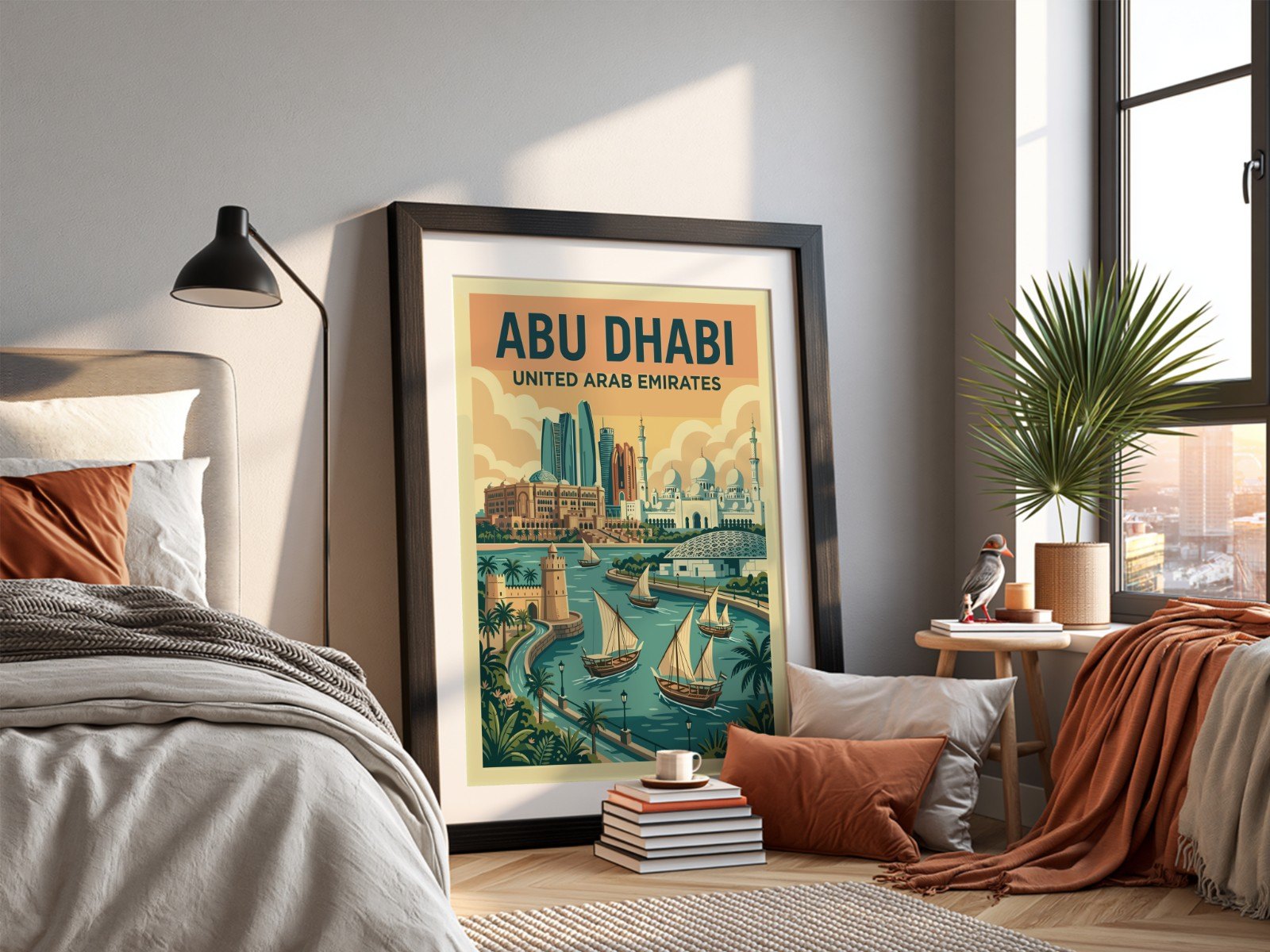
Etsy buyers can't pick up your print, feel the paper or hold it against their wall. Your photos do all of that for them. A listing with one lonely product shot leaves questions unanswered; a listing with a planned photo set answers them before the buyer thinks to ask.
Use at least 10 of Etsy's 20 photo slots, and give each one a job: a clean hero shot, a room shot, an angle, a close-up, a size or scale shot, an in-hand shot, a set or bundle, packaging, a size guide and a "what you get" summary. Keep the same design in every photo, shoot or mock up at 3000 × 2250 px (4:3), and put your strongest, least cluttered image first because it becomes your search thumbnail.
How many photos should an Etsy listing have?
Etsy lets you add up to 20 photos and 2 videos to every listing. You don't need all 20, but a listing with 8–12 purposeful photos looks complete and trustworthy, while a listing with two photos looks unfinished. Each extra photo is another chance to answer a buyer's question: How big is it? What does the paper look like? What will I actually receive?
For the technical side (pixel sizes, file types and how Etsy crops thumbnails) see our Etsy image size guide. The short version: 3000 × 2250 px at a 4:3 ratio, JPEG, under about 1 MB.
What should each photo show? The 10-photo checklist
Here is a checklist that works for wall art, and it adapts easily to mugs, T-shirts and tote bags. Every photo has one job.
| # | Photo | The buyer's question it answers |
|---|---|---|
| 1 | Hero shot: clean, bright, art large in the frame | "Do I like this at a glance?" |
| 2 | Room scene: living room, bedroom or office | "How would it look in a home like mine?" |
| 3 | Angle view: frame leaning or at an angle | "Is this a real, physical object?" |
| 4 | Close-up detail: paper, colour, edges | "Is the print quality good?" |
| 5 | Scale shot: next to furniture or held in hands | "How big is it really?" |
| 6 | Set or gallery wall: the design with others | "What else goes with it?" |
| 7 | Unboxing or unrolling | "How does it arrive?" |
| 8 | Size guide graphic | "Which size should I order?" |
| 9 | Frame or colour options | "Can I get it in black or oak?" |
| 10 | "What you get" summary | "Is it framed? Digital or physical?" |
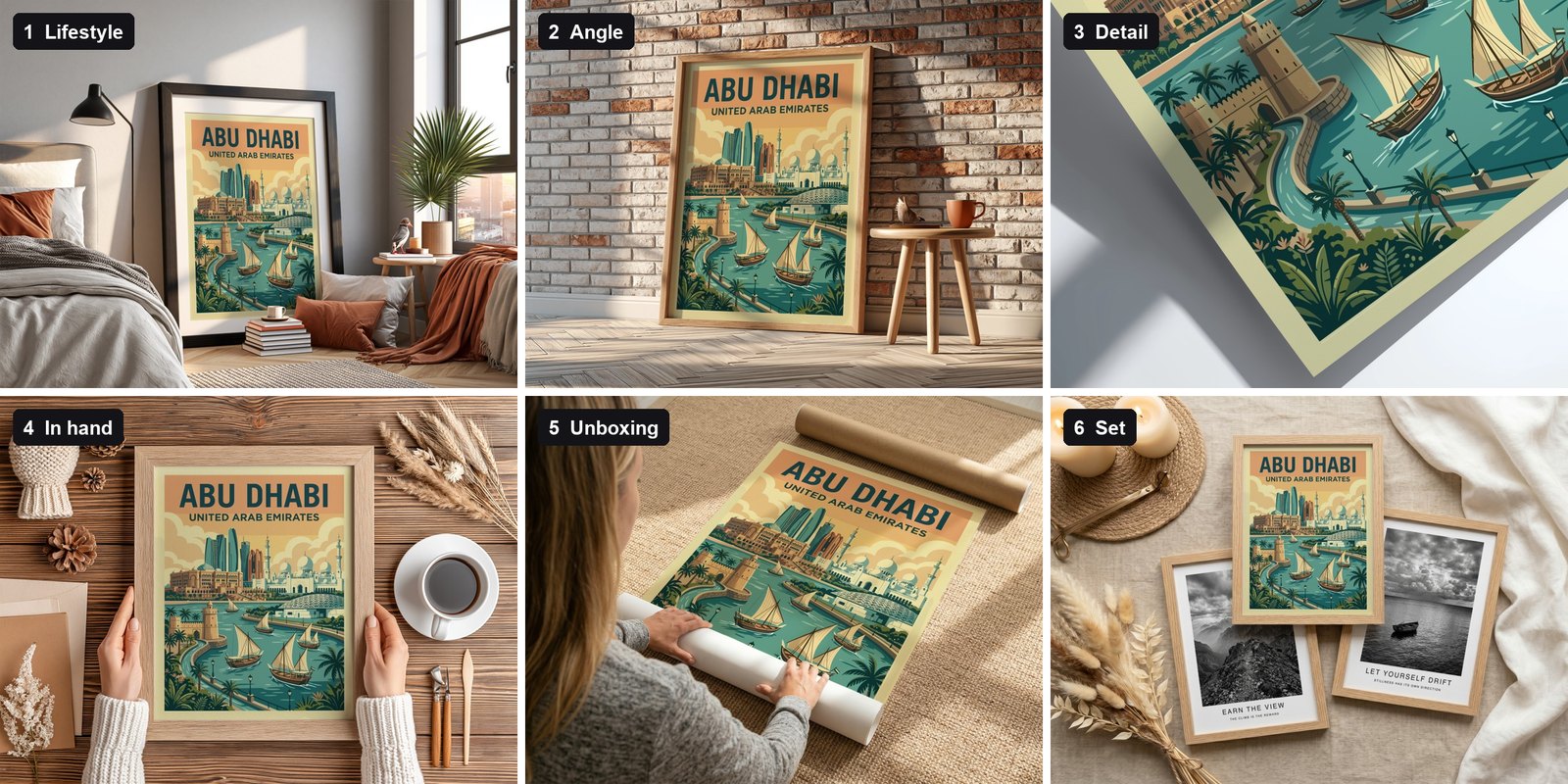
The six photos above were all made from one design in a few minutes. Same poster, six different jobs: lifestyle, angle, detail, in hand, unboxing and set.
Photos 7 and 9 change: show the file sizes and ratios included (for example 2:3, 3:4, 4:5 and A-series) and a clear "digital download, no physical item" graphic. That one image prevents most "where is my frame?" messages.
Why should the same design appear in every photo?
Consistency builds confidence. When photo 1 shows the design in a bedroom and photo 4 shows a close-up of a different print, buyers get confused about what they're ordering. Keep the same artwork across the whole listing and change only the setting, angle and distance.
It also makes your shop look professional when buyers browse: a consistent style of scene (bright and natural, or dark and moody) across listings reads like a brand rather than a random collection.
Which photo should come first?
Your first photo is your search thumbnail. It competes with dozens of other listings at roughly the size of a playing card, so it has to work small. Choose the image where the artwork fills most of the frame, the background is calm and the colours are bright. Keep busy styled scenes for photos 2 and 3.
A beautiful room with a tiny print on the far wall makes a lovely photo but a weak thumbnail. If a buyer has to squint to see your art, they'll scroll past.
Real photos or mockups?
For print-on-demand and digital downloads you usually don't have the physical product, and even when you do, photographing 50 designs in 10 settings is a full-time job. Mockups solve this: a PSD template with a smart object places your design into a professionally shot scene with the right perspective, lighting and texture.
The key is variety. Pick templates that cover the ten jobs above: a clean hero, a room, an angle, a detail and so on. Our free template library has over 90 scenes, including gallery walls, in-hand shots and unrolling scenes.
Build one "photo set" of 8–10 templates and reuse it for every listing. In Scaylr you load the set once, drop in all your designs and generate every photo for every design in one batch, so each listing gets a complete, consistent set.
How do you make a full photo set for many listings at once?
- Choose your templates. Pick one template for each job on the checklist from the library, or upload your own PSDs.
- Add all your designs. Drop in every design you want to list, not just one.
- Auto-assign and generate. Scaylr puts each design into each template. 10 designs × 8 templates gives you 80 listing photos in one run.
- Download and upload. Download the mockups, or on a paid plan as one ZIP sorted by design, so each listing's photos are already grouped.
If you're still building up your shop, read how many Etsy listings you need for your first sale: a complete photo set per listing matters more than a huge number of half-finished listings.
Make a full listing photo set in minutes
Pick your templates, drop in your designs and get every photo for every listing in one batch. No Photoshop needed.
Try Scaylr Free →