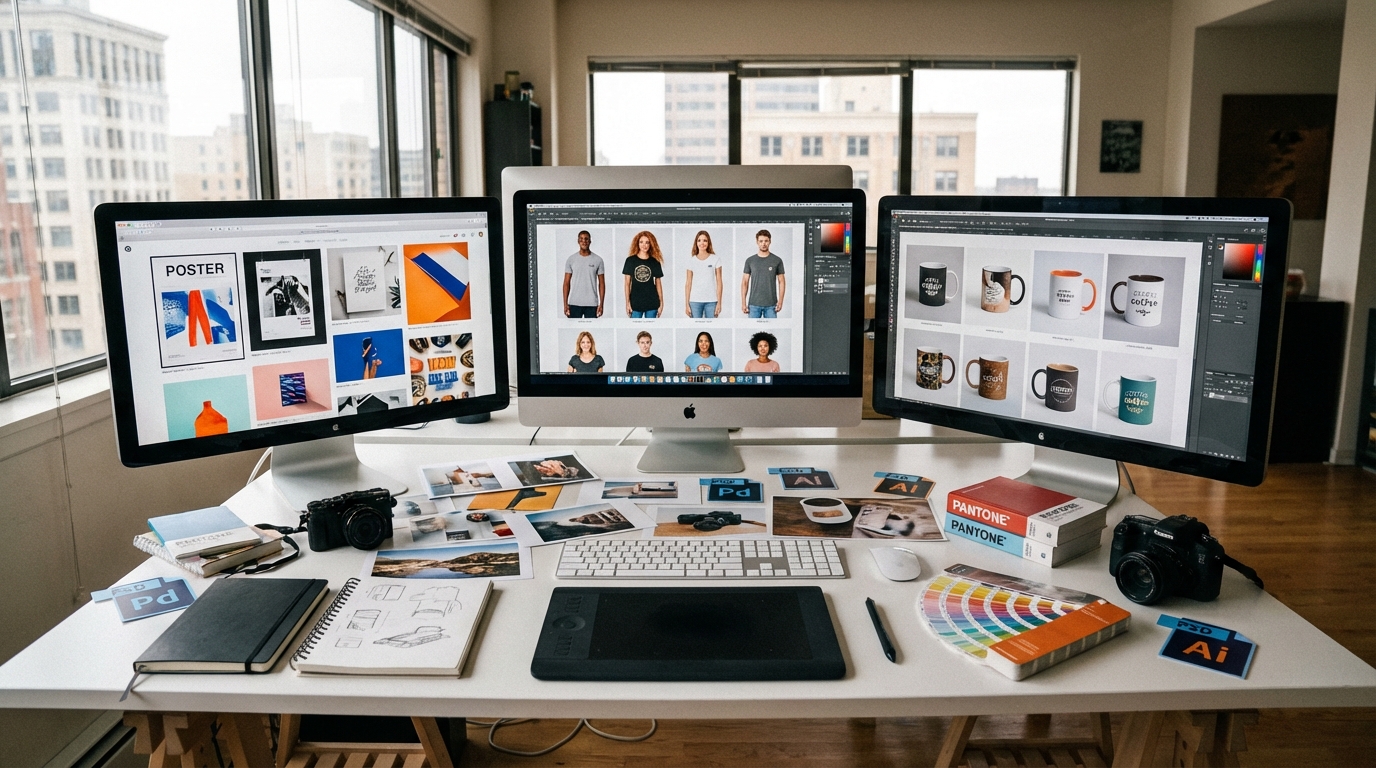
Product mockups are realistic previews that show your designs on physical products — and they directly impact conversion rates, returns, and brand perception. This guide covers every type of mockup, how to create them at scale, tools compared, and best practices for Etsy, Shopify, and print-on-demand sellers. If you need mockups fast, Scaylr's batch generator produces hundreds from a single PSD template in seconds.
What Are Product Mockups (And Why Should You Care)?
A product mockup is a photorealistic preview of your design placed onto a physical product — a t-shirt, a mug, a poster in a frame — without ever printing or photographing anything. Instead of shooting real products for every variation, you use a template file (usually a PSD) and swap in your artwork digitally.
For e-commerce sellers, mockups solve an expensive problem. Flat design files do not sell products. Customers need to visualize what they are buying: the mug on a kitchen counter, the poster above a couch, the t-shirt on a real person. Mockups bridge the gap between a design file and a finished product in the customer's mind.
This matters even more on marketplaces like Etsy and Shopify where you are competing with dozens of similar listings. The seller with professional, consistent mockup images gets the click. The seller with a flat JPEG on a white background does not.
Etsy's search algorithm favors listings with higher click-through and conversion rates. Better mockup images lead to more clicks, which leads to better search placement, which leads to more sales. It compounds.
Types of Product Mockups for E-commerce
Not every product needs the same style of mockup. Here is a breakdown of the major categories and when to use each one.
Apparel Mockups
T-shirt mockups are the most common starting point for POD sellers. These range from flat-lay templates to lifestyle shots with models. For sellers listing on Etsy or running a print-on-demand business, you need at minimum a clean front-facing mockup and ideally a lifestyle or model shot for the hero image. Browse t-shirt templates to find styles that match your brand.
Poster and Frame Mockups
Poster and frame mockups show wall art, prints, and digital downloads in realistic room settings. These are critical for art print sellers because a framed piece in a styled room converts dramatically better than a flat file. You can explore different room styles and frame types in the poster template collection.
Mug and Drinkware Mockups
Mug mockups display wrap-around designs on ceramic mugs, travel tumblers, and glassware. The challenge with mug mockups is showing the design curve realistically — cheap templates distort artwork. Quality mug templates handle perspective and curvature correctly.
Flat Lay and Scene Mockups
These place your product (stickers, notebooks, packaging) into styled flat-lay scenes with props. They work well as secondary images in a listing to show scale and context.
Use at least three different mockup types per listing: one clean/minimal shot as the hero, one lifestyle/context shot, and one close-up detail shot. This combination gives buyers everything they need to feel confident purchasing.
Why Mockups Directly Impact Your Sales
Mockups are not a nice-to-have. They are a revenue driver. Here is what changes when you upgrade from amateur to professional product images.
Higher click-through rates. On Etsy, search results are a wall of thumbnail images. A polished mockup with good lighting and composition stands out. Sellers who switch from flat designs to lifestyle mockups consistently report doubled click rates.
Lower return rates. When customers know exactly what they are getting, they return less. Mockups that accurately represent your product — correct colors, realistic sizing, proper material texture — set the right expectations.
Stronger brand perception. Consistent, professional mockups across your shop signal quality. Buyers subconsciously trust sellers whose listings look cohesive and polished. A messy shop with mismatched mockup styles looks amateurish, even if the products are identical.
Faster listing creation. Once you have a mockup workflow, you can launch new designs in minutes instead of hours. This is especially valuable for POD sellers who need to test dozens of designs quickly. For a deep dive into building an efficient POD workflow, read the complete print-on-demand Etsy guide.
Etsy and most marketplaces penalize listings with misleading images. Your mockups must accurately represent the final product. If your mug is 11oz, do not use a 15oz mockup template. Accuracy builds trust and avoids negative reviews.
How to Create Product Mockups: Three Approaches
There are three main ways to create mockups, each with different trade-offs in cost, quality, speed, and scalability.
1. Manual Creation in Photoshop
The traditional approach: open a PSD mockup file in Photoshop, place your design into the smart object layer, save, export. This gives you full control over every detail — shadows, lighting, color adjustments.
The problem is speed. If you sell 50 designs across 5 product types, you need 250 individual mockup images. At 3-5 minutes per mockup in Photoshop, that is 12+ hours of repetitive work. Every time you add a new design, you repeat the process.
2. Online Mockup Generators
Tools like Placeit, Smartmockups, and others let you upload a design and apply it to templates in the browser. No Photoshop required. These are faster than manual creation but still one-at-a-time — upload, adjust, download, repeat. For a detailed breakdown of how these tools compare, see the best mockup generators for Etsy sellers.
3. Batch Mockup Generation
This is where the math changes. A batch generator like Scaylr takes your PSD templates and your design files, then produces every combination automatically. Upload 10 templates and 20 designs, get 200 finished mockups. No Photoshop, no repeating steps, no per-image fees.
For sellers managing large catalogs or frequently adding new designs, batch generation cuts mockup creation time from hours to minutes. For a side-by-side comparison of Scaylr versus Placeit, read the full Scaylr vs. Placeit breakdown.
Upload your PSD templates
Choose mockup PSD files from your collection or browse the Scaylr template library for ready-made options across mugs, t-shirts, posters, and more.
Add your design files
Upload the PNG or JPEG designs you want placed into the mockups. You can add as many as you need in a single batch.
Generate and download
Hit generate. Scaylr processes every combination and delivers finished mockup images ready for your listings. The entire process takes seconds, not hours.
Mockup Tools Compared: Which One Fits Your Workflow?
Every seller's needs are different. Here is how the major approaches compare across the factors that actually matter.
| Feature | Photoshop (Manual) | Placeit / Smartmockups | Scaylr (Batch) |
|---|---|---|---|
| Speed per mockup | 3-5 minutes | 1-2 minutes | Seconds (batch) |
| Batch processing | No | No | Yes — all combinations |
| Custom PSD templates | Full control | Not supported | Full PSD support |
| Photoshop required | Yes | No | No |
| Cost | $22.99/mo (PS subscription) | $7.99-14.95/mo | Free — $17.99/mo |
| Template quality | Depends on source | Fixed library | Any PSD + built-in library |
| Best for | One-off custom work | Beginners, small catalogs | Sellers with 10+ designs |
For a broader comparison of free options specifically, check the guide to free mockup generators for print-on-demand.
If you sell more than a handful of designs, batch generation is the only approach that scales without eating your time. Manual Photoshop work makes sense for one-off hero images. Online generators work for small shops with simple needs. For everything else, batch processing pays for itself on day one.
Mockup Best Practices That Actually Move the Needle
Creating mockups is straightforward. Creating mockups that convert takes more intention. These are the practices that separate top-selling listings from average ones.
Match mockup style to your target customer. Selling minimalist wall art? Use clean, Scandinavian-style room mockups. Selling bold graphic tees for a younger audience? Use urban lifestyle shots. The context should reflect who is buying.
Keep backgrounds and lighting consistent. Every mockup in your shop should feel like it belongs to the same brand. Same lighting tone, similar background styles, consistent color grading. This builds visual trust across your storefront.
Show the product at scale. Customers struggle with size. A poster mockup in a room with furniture gives scale context. A mug next to a hand shows whether it is an espresso cup or an oversized latte mug. Remove guesswork.
Optimize image resolution for the platform. Etsy recommends 2000px on the shortest side. Shopify suggests 2048x2048. Uploading undersized mockups makes your listing look low-quality, even if the mockup itself is well-made.
Create a "mockup style guide" for your shop — document the 3-4 templates you use, the image order per listing, and your export settings. When you add new designs, you follow the guide instead of making decisions each time. Consistency compounds.
Common Mockup Mistakes (And How to Avoid Them)
These errors show up constantly in Etsy and Shopify listings. Each one quietly costs sales.
Using low-resolution or stretched templates. Cheap free mockups with visible compression artifacts or incorrect aspect ratios make your product look cheap. Always verify template resolution before building your workflow around it. For guidance on when free templates work and when they do not, read the free vs. premium mockup template comparison.
Ignoring color accuracy. Your design's colors will shift depending on the mockup template's lighting and color profile. Always check that the mockup output reasonably matches your actual product colors. Customers notice when the teal they ordered arrives as turquoise.
Overloading a single image with text overlays. Badges, sale banners, and text overlays clutter your mockup and make the product itself harder to see. Keep mockup images clean. Use separate infographic images for details like sizing or material info.
Only showing one angle. A single front-facing mockup is not enough. Show multiple angles, close-ups, and context shots.
Not testing on mobile. Phones dominate: 45% of Etsy's 2025 sales came through the Etsy app alone (Etsy annual report), and many more buyers browse on mobile web. Your mockup thumbnails need to read clearly at small sizes. If the design is not visible in a 300px thumbnail, it will not get clicked.
Platform-Specific Mockup Tips
Mockups for Etsy Sellers
Etsy sellers should prioritize lifestyle mockups as their first listing image — this is the thumbnail shoppers see in search. Use Etsy's full 20-image allowance: mix lifestyle mockups, clean product shots, close-ups, and size/material infographics. For a step-by-step walkthrough, read how to create mockups for Etsy listings.
Mockups for Shopify Stores
Shopify store owners have more control over presentation — you set the page layout, zoom behavior, and image gallery style. Take advantage of this by using high-resolution mockups (2048px+) and including lifestyle images that match your site's brand aesthetic. Consistency between your mockups and your storefront design builds trust.
Mockups for Print-on-Demand
POD sellers face a unique challenge: you often cannot photograph the actual product because it ships directly from the printer. Mockups are not optional — they are your only product imagery. This makes quality even more critical. Batch generation is especially valuable here because POD catalogs tend to be large and frequently updated.
The quality of your PSD template determines the ceiling of your mockup quality. Investing in a few premium templates and reusing them across your catalog produces better results than using dozens of free low-quality ones. Explore the Scaylr template library for curated, high-quality options.
Building a Scalable Mockup Workflow
The goal is not to make one perfect mockup. The goal is to build a system that produces consistent, professional mockups every time you add a new design. Here is what that looks like.
Select 3-5 core templates per product type. Standardize on a small set of high-quality templates that match your brand. Every product gets the same treatment. This creates visual consistency across your shop and speeds up production.
Batch process every new design drop. When you finalize 10 new designs, run them through Scaylr's batch generator against your core templates. In one session, you produce every mockup you need — no manual repetition.
Organize output by listing. Name files systematically (design-name_template-name.jpg) so you can quickly match mockups to the correct listings. This saves time during upload and prevents mismatched images.
Review at thumbnail size before publishing. Open your finished mockups at 300px wide. If the design is not clearly visible, the mockup will not convert in search results. Adjust or choose a different template.
Ready to Scale Your Mockup Workflow?
Upload your PSD templates and design files. Get every combination generated instantly — no Photoshop, no per-image fees. Free to start with 30 mockups per day.
Try Scaylr Free →How Much Should Mockups Cost?
Mockup costs vary wildly depending on your approach. Here is a realistic breakdown.
DIY with Photoshop: $22.99/month for Adobe's Photography Plan, plus $5-50 per premium PSD template. Your time is the real cost — hours of manual work per week.
Online generators: $7.99-14.95/month for tools like Placeit. Templates are included but you cannot use your own PSDs. You are locked into their library.
Batch generators: Scaylr offers a free tier (30 watermarked mockups per day), a Starter plan at $9.99/month for 1,000 mockups, and a Pro plan at $17.99/month for unlimited generation. You can use any PSD template — your own or from the built-in library. See all options on the pricing page.
For most sellers, the calculus is simple: how many mockups do you need per month, and what is your time worth? If you are generating more than 50 mockups a month manually, a batch tool pays for itself immediately.