Every Etsy printables guide says "use 300 DPI" and moves on, which is correct advice but an incomplete answer — it doesn't explain why 300, when a lower number is actually fine, or what the resolution equivalent means for a customer who's going to print it at home on a regular inkjet, not a professional press.
300 DPI is the standard for Etsy printables — wall art, planners, cards, anything viewed up close. At 300 DPI, a 24 × 36in poster needs to be 7200 × 10800 pixels. Below roughly 150 DPI, prints start to look visibly soft, especially fine text and line art. 150 DPI is acceptable for large-format prints viewed from further away (big canvases, banners), but for a standard printable someone will frame and look at from a few feet, 300 DPI is the number to design to and the number buyers expect.
Why 300 DPI Specifically?
300 dots per inch is the point at which most human eyes stop being able to distinguish individual dots at normal reading and viewing distance — roughly arm's length for a framed print. It isn't an arbitrary Etsy rule; it's the same standard used across professional print production generally, which is why it shows up on every printables guide regardless of platform.
| DPI | Looks like | Use for |
|---|---|---|
| 300 DPI | Sharp at close viewing distance | Wall art, framed prints, planners, stationery — the Etsy printables standard |
| 150 DPI | Fine from a few feet back | Large canvases, banners, anything viewed from further away |
| 72 DPI | Visibly soft when printed | Screens only — the historical web/display default, not for print |
What 300 DPI Actually Means in Pixels
DPI on its own is meaningless without a physical size attached — it's pixels divided by inches, so the pixel requirement scales directly with how big the print is:
| Print size | Pixels needed at 300 DPI |
|---|---|
| 8 × 10in | 2400 × 3000px |
| 11 × 14in | 3300 × 4200px |
| 16 × 20in | 4800 × 6000px |
| 18 × 24in | 5400 × 7200px |
| 24 × 36in | 7200 × 10800px |
A design that's plenty sharp on a laptop screen (most screens display well under 300 DPI-equivalent) can still be nowhere near enough pixels for a large printable. Always check the actual pixel dimensions against the table above before assuming a file is "print-ready" just because it looks fine on screen.
When Is Less Than 300 DPI Actually Fine?
300 DPI isn't a universal floor — it's specifically for prints viewed up close. The further back a print is typically viewed from, the lower the DPI can go without looking soft:
- Framed wall art, planners, cards (typical printable): 300 DPI. Viewed from a few feet at most.
- Large canvases and posters meant to be seen from across a room: 150 DPI is commonly acceptable — the extra viewing distance hides what would be visible dot structure up close.
- Banners and very large-format prints: can go lower still, since they're designed to be read from meters away, not inches.
The mistake isn't using anything under 300 DPI — it's using a low DPI on a product where the customer will actually look closely. A printable Etsy listing almost always gets printed and framed for close viewing, which is exactly the case where 300 DPI matters most, unlike large-format decor.
Building an Etsy Printable Set at the Right DPI From the Start
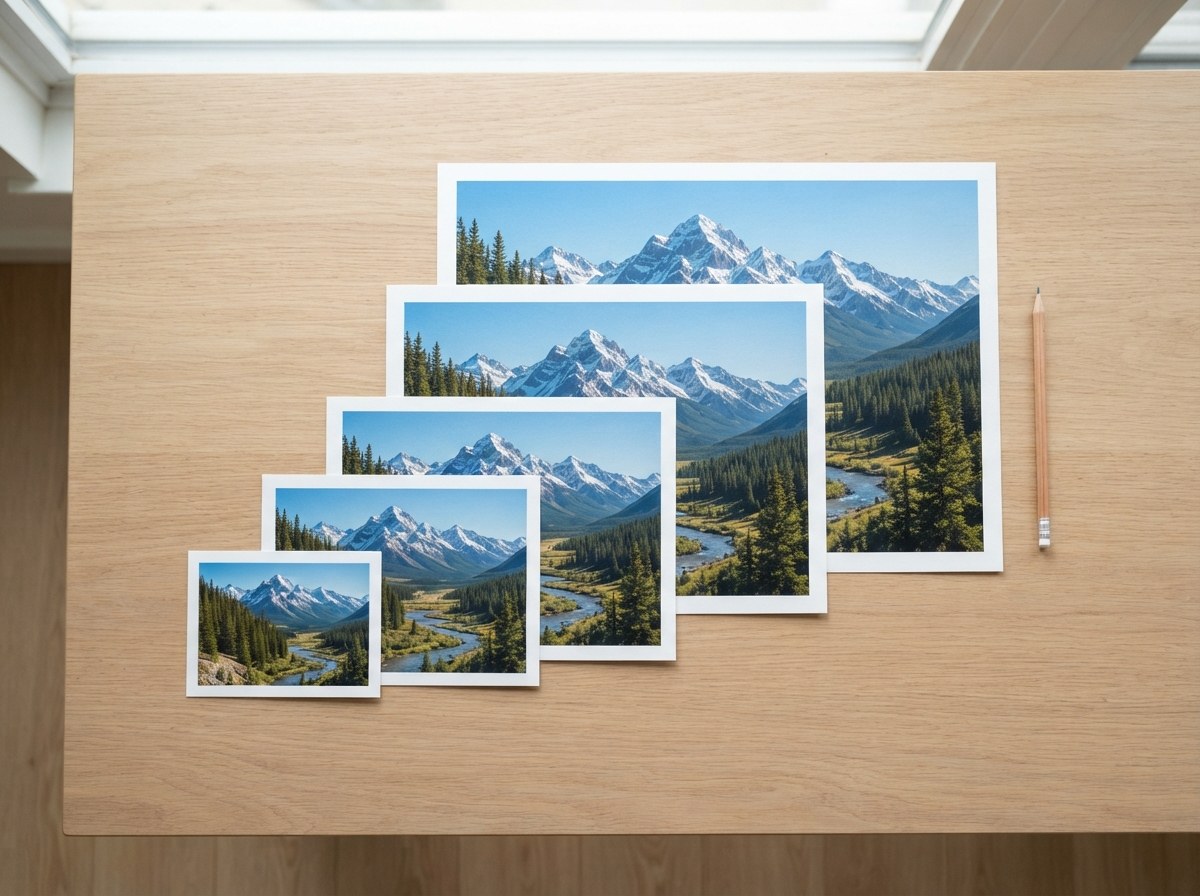
Rather than designing at one size and hoping it scales, Etsy printable sellers typically need the same artwork exported across several standard frame ratios — because buyers own different frame sizes and expect the file that matches theirs. The Printable Wall Art Size Pack generates the standard set at 300 DPI automatically:
| Ratio | Common size | DPI |
|---|---|---|
| 2:3 | 24 × 36in | 300 |
| 3:4 | 18 × 24in | 300 |
| 4:5 | 16 × 20in | 300 |
| Standard | 11 × 14in | 300 |
| ISO | A1 | 300 |
Those five ratios cover essentially every standard frame from 4×6in up to 24×36in, and A5 through A1 for international buyers — which also happens to line up with Etsy's digital listing limit of five files per listing, at up to 20MB each.
Design your master file at the largest size in the set (24 × 36in at 300 DPI, or 7200 × 10800px) and scale down for the smaller ratios, rather than designing each size separately. Scaling a large file down always looks sharp; scaling a small file up is where quality gets lost.
What Happens If You Ship Low-DPI Printables Anyway
Low-resolution printables are one of the more common sources of negative Etsy reviews in this category, and it's an avoidable one. A buyer who prints a "high quality" digital download and gets a soft, pixelated poster back doesn't know or care that the file was 72 DPI instead of 300 — they just see a bad print, and that becomes a review, a return request, or a refund conversation. Getting the DPI right before upload is cheaper than handling that after the fact.
Before uploading a new printable, check the actual pixel dimensions against the table above rather than trusting the file's stored DPI tag — many files, especially anything that's passed through a screenshot or a messaging app, lose or never had an accurate DPI tag. See our guide on how to check an image's DPI on Mac, Windows or Photoshop, or drop it straight into the size pack tool below.
My Design Doesn't Have Enough Pixels for 300 DPI — Now What?
If a design was created at a smaller size — a sketch scanned at low resolution, an old file from before you were designing at print size — you have two real options:
Redesign at the correct pixel size
The cleanest fix if the source is a vector file (Illustrator, Procreate with vector layers) — export again directly at the pixel dimensions your target size needs.
Upscale the raster file
If the design only exists as a smaller raster (PNG/JPG) and redesigning isn't practical, the AI Image Upscaler rebuilds detail as it enlarges, which holds up noticeably better than a plain resize — especially for illustrations, text and logos. It can't invent detail that was never captured, so a tiny, heavily compressed source will still look softer than an original 300 DPI file, but it closes most of the gap for anything that started reasonably sharp.
Get Every Etsy Printable Size at 300 DPI, Automatically
Generate the full 5-file wall art size pack — 300 DPI, every standard frame ratio — from one master design.
Build My Size Pack →