Home › Shopify Publisher
Shopify Publisher · Included with Pro

Mockups, AI Listings and Shopify Products — In One Batch

The Shopify Publisher turns your designs into finished Shopify products: Scaylr generates the mockups, writes each listing with AI, and pushes everything to your store in one batch.

Built for Etsy-to-Shopify sellers, print-on-demand shops and small catalogues that add new designs every week — anyone who'd rather spend the afternoon designing than typing product listings.

Already Pro? Open the Shopify Publisher →

How it works

Four steps, one batch

From a folder of designs to live Shopify products — no copy-pasting between tools.

1
Connect your store
From the Publisher dashboard, click Connect store and approve the permission prompt on your Shopify store. Takes under a minute.
2
Pick templates + upload designs
Use Scaylr's free template library or your own PSD files, then drop in your design images. Auto-assign matches every design to every template.
3
AI writes the listing
Title, description and tags are generated per product from what you tell it you're selling. Optional instructions steer tone, plus a reusable footer for size guides or shipping info.
4
Review and publish
Edit any listing, set collection, vendor and status, then push the batch to Shopify as drafts, unlisted, or live.
See it in action

The actual tool

Screenshots of the Shopify Publisher running with test data — no real store or customer information shown.
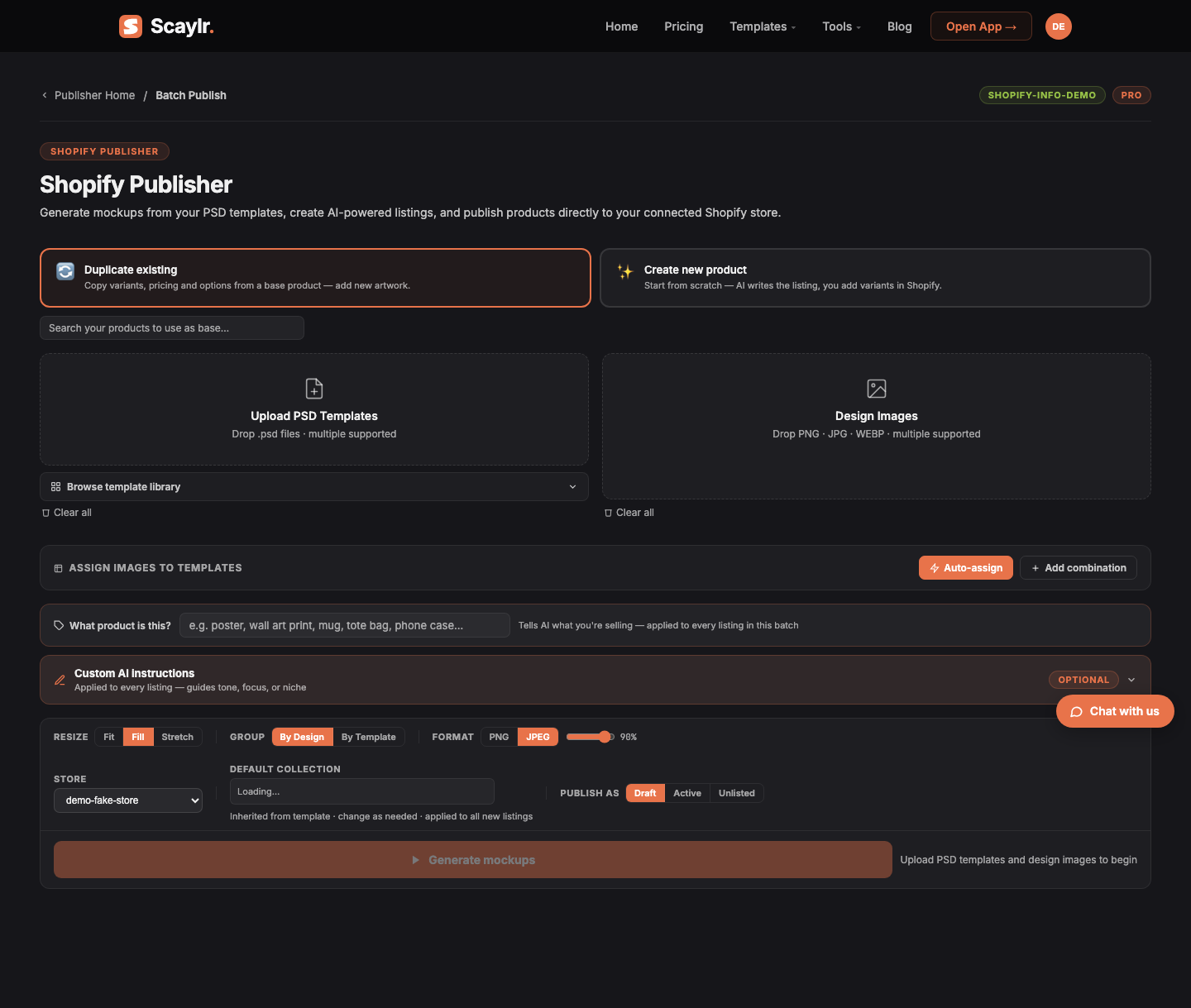
Shopify Publisher batch mode: upload PSD templates and design images, then AI writes the listing for review before pushing to Shopify
Batch Publisher — upload templates and designs, set a default collection and publish status, then generate mockups and AI listings for the whole batch at once.
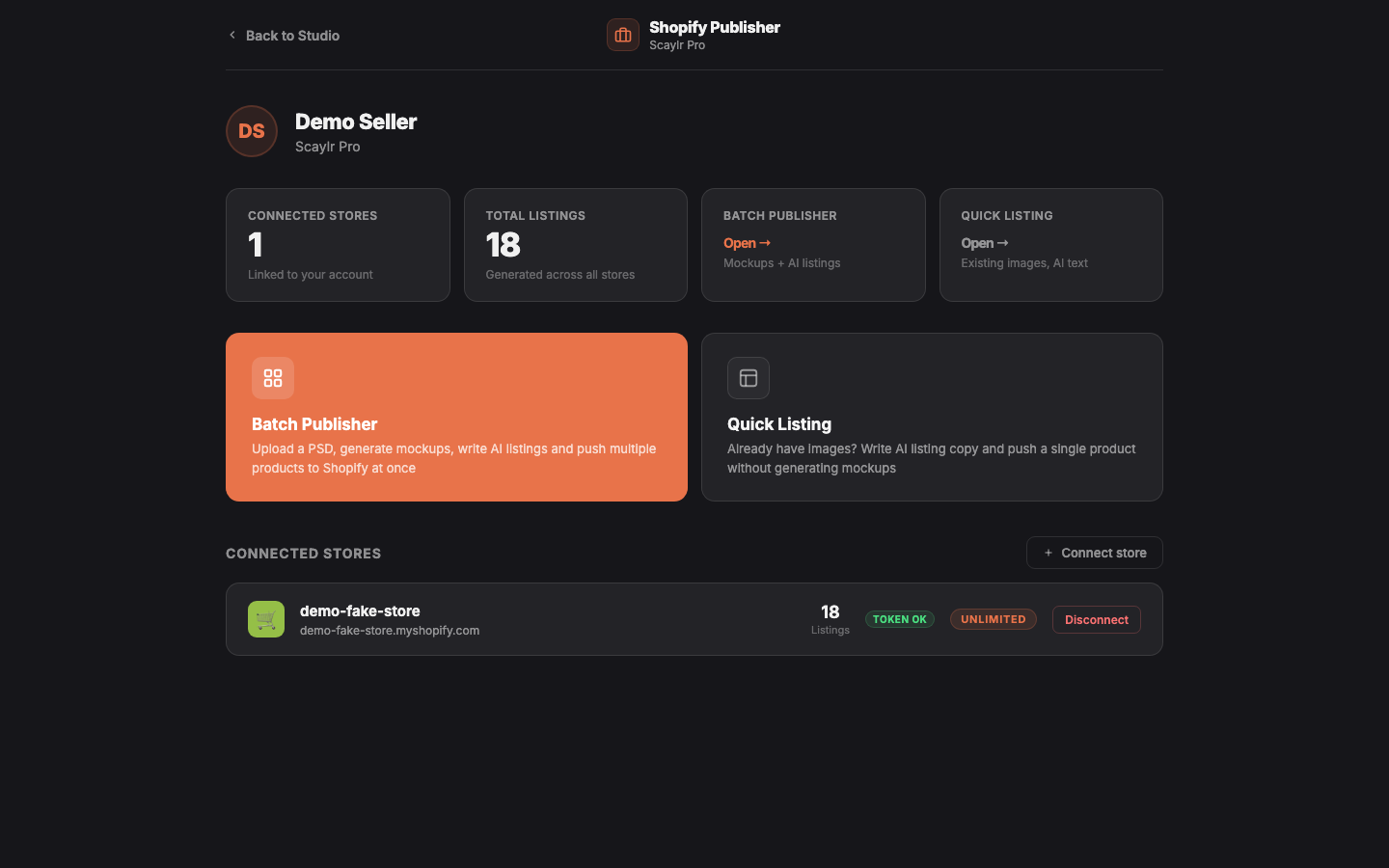
Shopify Publisher dashboard showing connected Shopify stores and listing counts
Publisher dashboard — every store you've connected, its listing count, and one click into Batch Publisher or Quick Listing.
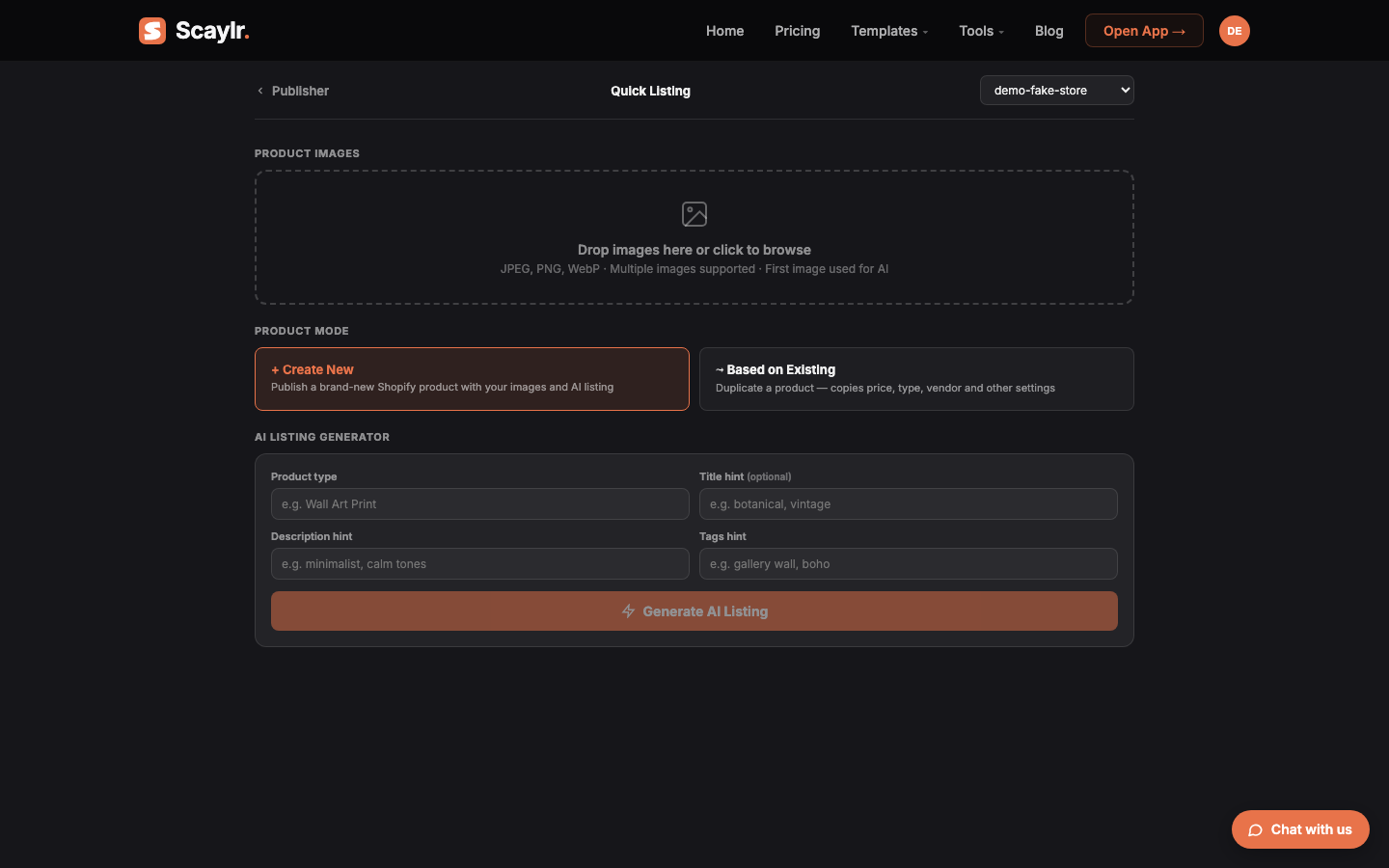
Shopify Quick Listing: upload existing product photos and let AI write the listing for a single product
Quick Listing — already have product photos? Skip mockup generation and publish a single product with AI-written copy.
Video

Watch it in two minutes

A short walkthrough of connecting a store and publishing a first batch.

Video coming soon
A tutorial is in the works — check back shortly.
What you get

Only what the tool actually does

No invented features — this is what ships today.

Mockups from your PSD templates
Scaylr's free template library or your own PSD files. Auto-assign designs to templates, choose Fit, Fill or Stretch, export as PNG or JPEG.
AI-written listing text
Titles, descriptions and tags per product — editable before anything is pushed. Add custom instructions to guide tone or a footer for size/shipping info, applied to every listing in the batch.
Variants and pricing, when you duplicate
"Duplicate existing" copies variants, options and pricing from a product you already sell — you're just adding new artwork. "Create new product" writes the listing; you add variants and pricing in Shopify after.
Set it once per batch
Collection, vendor, product type and category ID applied across the whole batch, inherited from the template but changeable per run.
Draft, Active or Unlisted
Choose how new products land in your store per batch — nothing goes live by accident. Review every listing before you push.
Quick Listing for one-offs
Already have product photos? Skip mockup generation entirely and publish a single product with AI-written copy in a minute.
Requirements

What you need

Plan

Scaylr Pro

The Shopify Publisher is a Pro-only feature — $17.99/mo, unlimited mockups, 7-day free trial. Free and Starter include the batch mockup generator but not the Publisher. See full plan comparison →

Store

A Shopify store

Any Shopify plan works. Connect it once from the Publisher dashboard — a standard Shopify permission prompt (product read/write access), no separate app install needed first.

Not the same as the Scaylr app on the Shopify App Store. That's a separate product you install directly onto your store from Shopify's App Store, billed through Shopify's own plans. The Shopify Publisher described on this page lives on scaylr.io, comes with your Scaylr Pro subscription, and carries no extra listing limits once connected — whatever plan the Shopify App itself shows for that store.
FAQ

Frequently asked questions

Does the Shopify Publisher change my existing products?
No. It only creates new products — or, if you choose "Duplicate existing", it creates a new product that copies variants, options and pricing from one product you pick as a starting point. It never edits a live listing you didn't run through it.
What if I don't like the AI-written title, description or tags?
Every listing is a review step, not an auto-publish. Edit any field by hand, add custom instructions to steer tone or focus before generating, or regenerate a single listing. Nothing reaches your store until you click Push.
How many products can I publish in one batch?
As many as your uploaded designs and templates produce — there's no batch size cap in the tool. On the Pro plan, mockup generation itself is unlimited, so a large batch doesn't use up a monthly allowance.
Does it set prices and variants for me?
Only in "Duplicate existing" mode, where the new product copies the variants, options and pricing of the product you picked as a base — you're just adding new artwork. In "Create new product" mode, AI writes the listing but you add variants and pricing in Shopify afterward.
Which Scaylr plan includes the Shopify Publisher?
Pro only ($17.99/mo, unlimited mockups, 7-day free trial). Free and Starter give you the batch mockup generator, but not the Shopify Publisher.
Is this the same as the Scaylr app on the Shopify App Store?
No — see "What you need" above. They're two different front doors: one installed from Shopify's App Store and billed by Shopify, one included with Scaylr Pro and run from scaylr.io.

Ready to publish your first batch?

Upgrade to Pro to unlock the Shopify Publisher, or try the free mockup generator first.

Upgrade to Pro → Why sellers use Scaylr for Shopify